Please Note that Coupons are a custom feature that needs to be enabled through the Features & Integrations section before it can be used.
Considering that you’ve enabled this feature in the Features & Integrations section, to create your first coupon, go to the Finance page from the left side menu and then click on “Coupons” to expand this section. You’ll be able to create new and manage existing coupons through the new Coupons drop-down, or you can view the Coupons usage History. To create a coupon, click on the “Coupons” drop-down option.
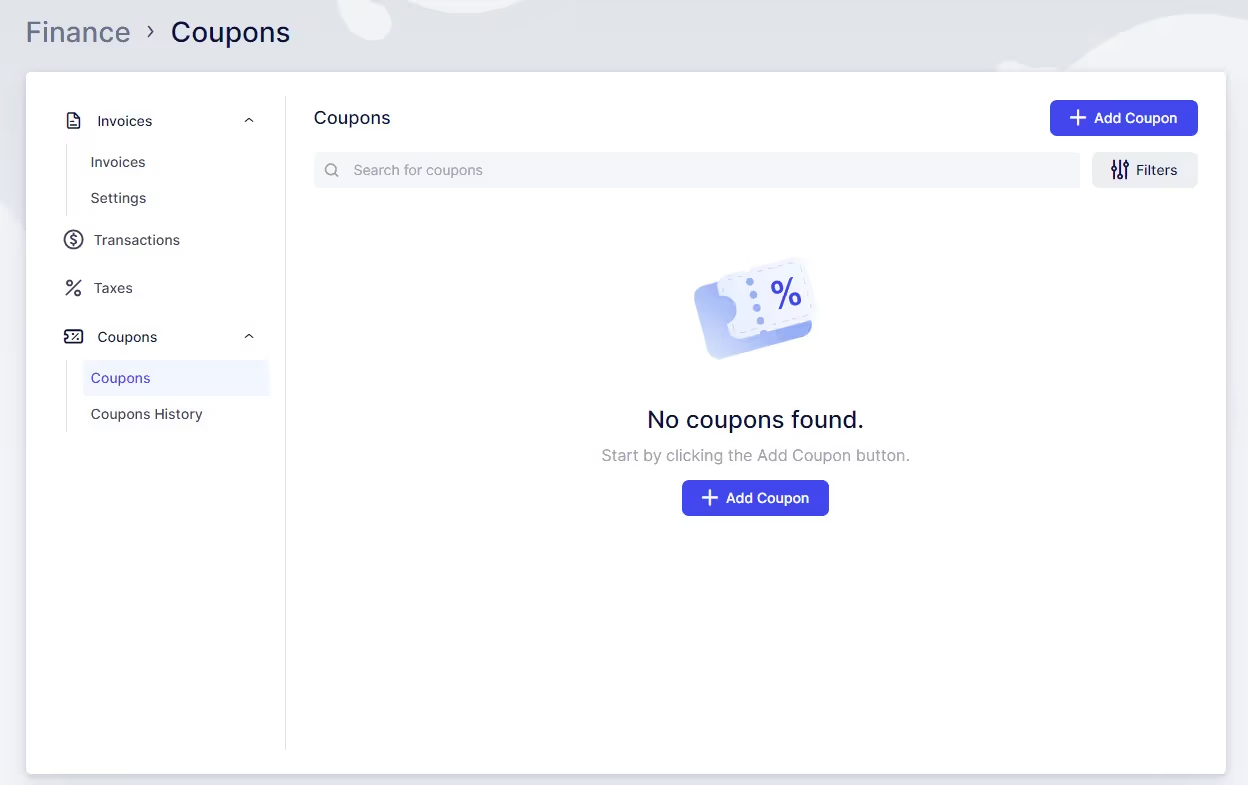
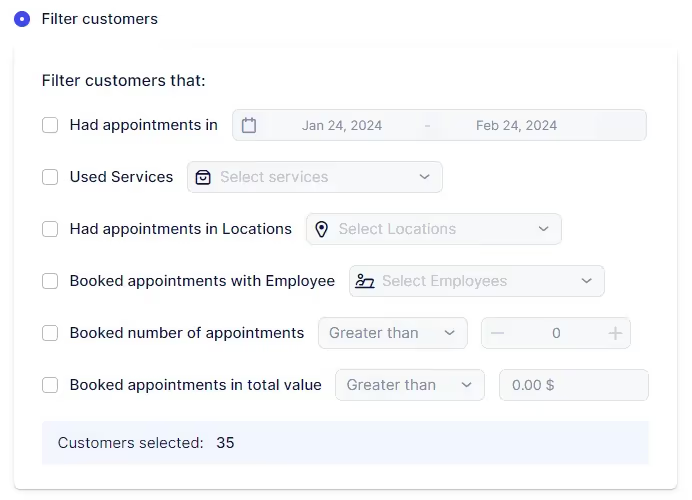
Once this section opens up, you will be able to create your first coupon by clicking on the “+ Add Coupon” button in the top right. To create a coupon, two fields are mandatory:
The remaining options are not mandatory so you can set up:
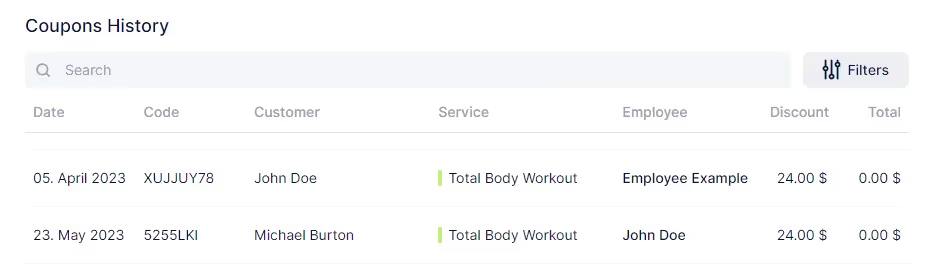
In the Coupon History section, you can overview which coupon was used for which appointment. You can see which customer used it and what services were booked for that appointment, as well as which employee was providing the service. In the last two columns of this list, you can also view the total for the appointment and the amount of the discount generated by the coupon usage. You can search through the list of used coupons and filter it by Service, Employee, and Customer.
Discounts and promotions are essential tools for businesses to engage their existing customer base and entice new clients. Quickly Booked Appunderstands the importance of these strategies and offers robust support for coupons. With Quickly Booked App , you can create unique coupon codes to share with your clients or potential customers. These codes can be easily applied by customers during the booking process, enhancing their experience and incentivizing their bookings. Whether you’re offering a percentage off or a special promotion, Quickly Booked App’s coupon feature is designed to help you drive bookings and boost customer satisfaction.
Got questions? We’ve put together clear answers to help you get started with confidence.

All plans include unlimited staff members, services, and locations. There are no per-user or per-location fees and no upgrade required as you grow. Everything is included from day one.

Yes. You can collect deposits, full payments, or partial payments for any service. You decide the amount clients pay upfront, and the rest can be charged later or at the appointment.



