Connect your booking system with external tools and platforms for a smoother, automated workflow.
Automatically sync customer data from your Quickly Booked App booking system to your Acumbamail lists.
When a customer schedules an appointment through Quickly Booked App, their contact information is instantly transmitted to your designated Acumbamail email list. This integration works seamlessly with appointments created via Quickly Booked App’s booking forms on your website. Utilize the Acumbamail integration with Quickly Booked App to effortlessly send emails, newsletters, and promotions to your customers
The Acumbamail integration for Quickly Booked App is considered a premium integration, and it will be counted towards your total number of Custom Features & Integrations.
To set up the Acumbamail integration, navigate to the Features & Integrations section within Quickly Booked App. Locate Acumbamail and click “Enable“. Once activated, the card will refresh, displaying a “Set Up” button. Click this button to access the Acumbamail configuration page.
Next, a new page will open with instructions on how to link your Acumbamail account. You’ll need to add the Acumbamail auth token and click “Connect Account” to initiate the setup process.
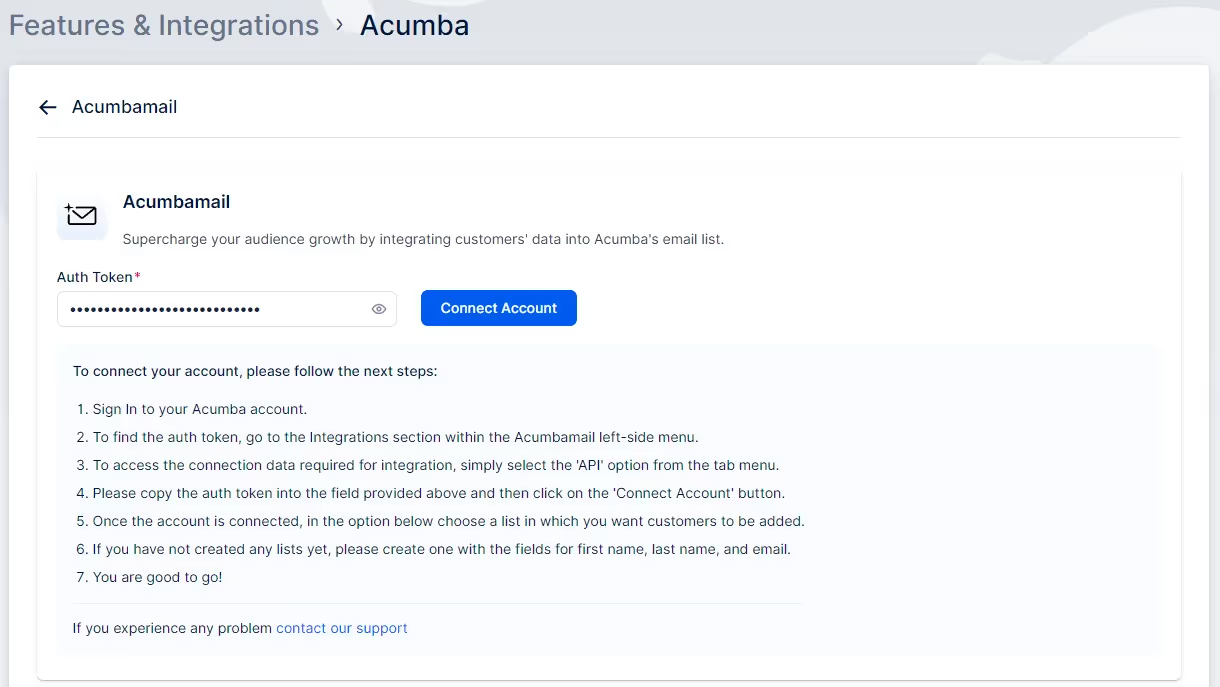
Now that your Acumbamail account is linked to your Quickly Booked App account, you will see the dropdown menu with lists, as shown in the image below. Ensure you have created the list you want to use in Acumbamail, and then choose the desired list from the dropdown.
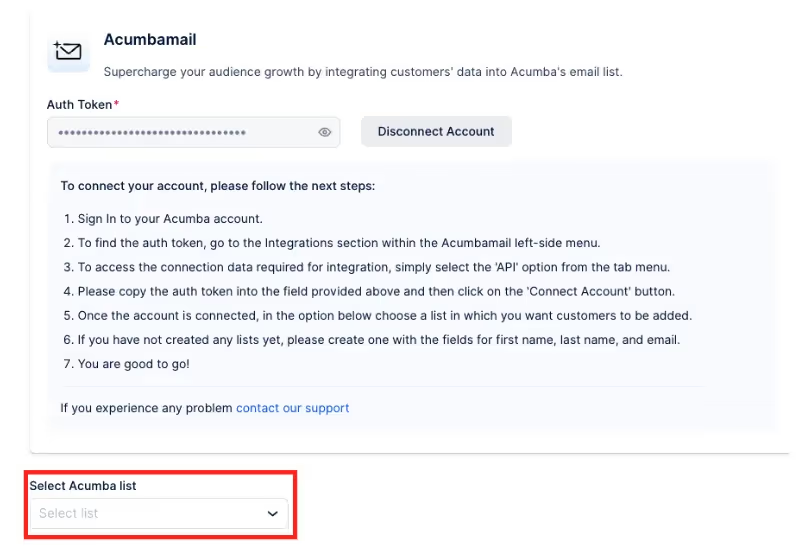
After making your selection, click the ‘Save Changes’ button that appears at the bottom of the page. Your settings are now saved.
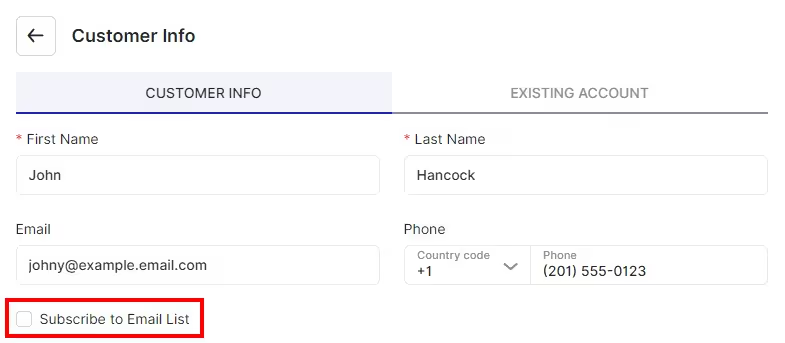
Moving forward, when customers book appointments on your booking website, they will encounter a checkbox option labeled “Subscribe to email list”. If they select this option while booking, their contact details will automatically be added to the list you’ve chosen on your Acumbamail account.
Got questions? We’ve put together clear answers to help you get started with confidence.

All plans include unlimited staff members, services, and locations. There are no per-user or per-location fees and no upgrade required as you grow. Everything is included from day one.

Yes. You can collect deposits, full payments, or partial payments for any service. You decide the amount clients pay upfront, and the rest can be charged later or at the appointment.



