Add and tailor unique features to enhance your booking system and meet specific business needs.
Packages in QuicklyBooked let you sell a bundle of services or sessions together, instead of clients booking and paying for each appointment separately.
They’re ideal for:
When a client purchases a package, they receive a set number of sessions or hours that can be redeemed later through your booking page. Each time they book a service included in the package, one session is deducted until the package is fully used or expires.
Clients can purchase packages directly from your QuicklyBooked booking page. After payment:
Note: If you set an expiration date, sessions must be used before the package expires.
You can create packages from the Services section of your QuicklyBooked dashboard.
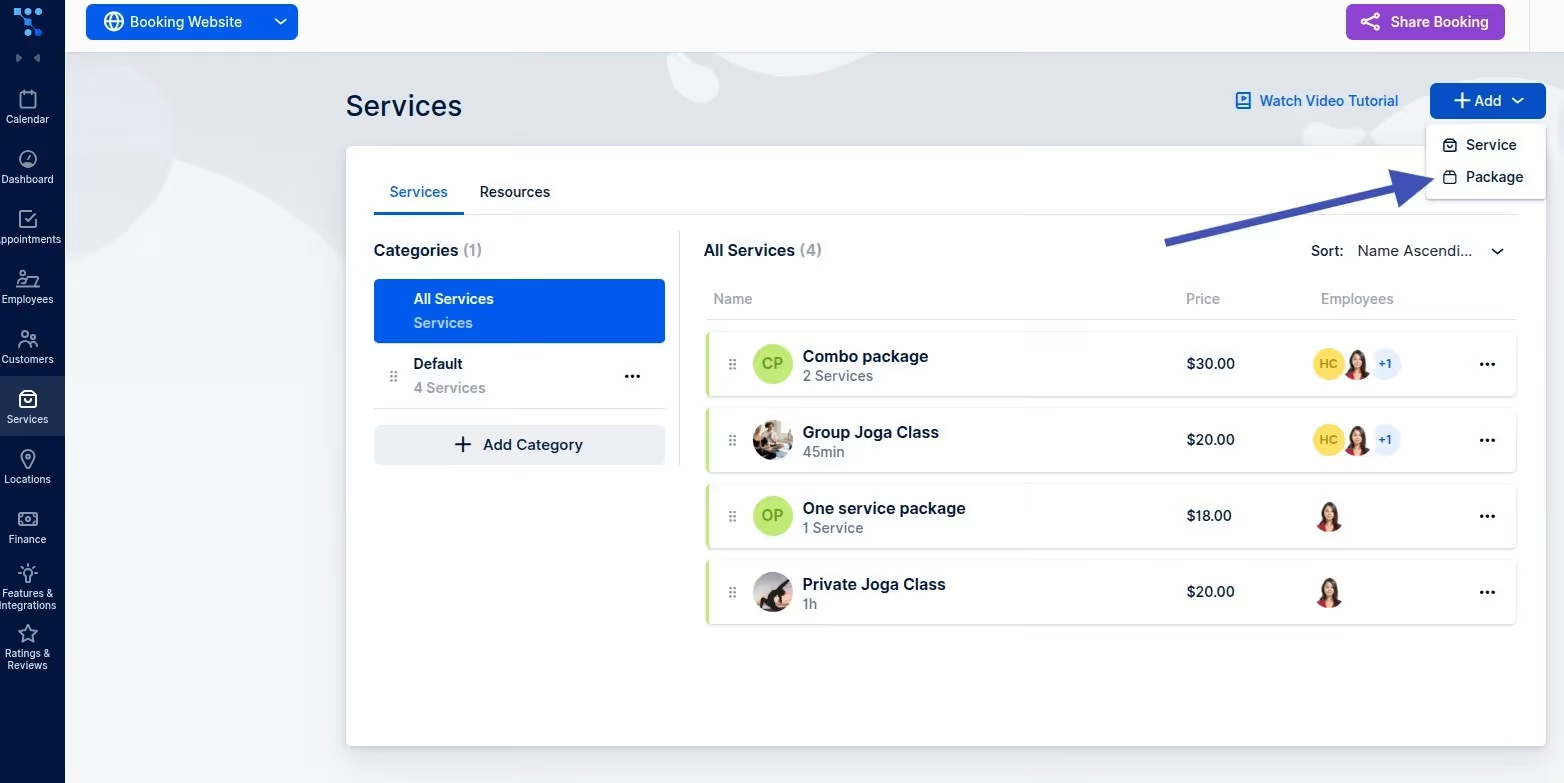
When creating a package, you can define:
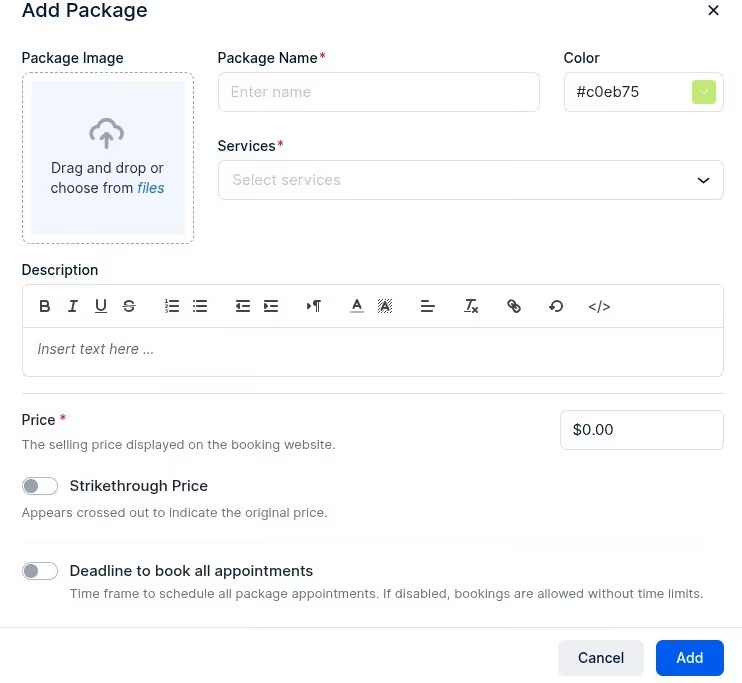
Once saved, the package appears on your booking page and is automatically linked to client profiles when purchased.
To manage existing offers, go to Appointments → Packages, click the three dots next to a package, and select Edit Package. You can modify the following sections:
Update the identity of your package:
Control exactly how the package can be used:
Manage your revenue settings:
Add multiple images to showcase the package. These appear in the More Info section on the booking page to help convert clients.
Set a custom redirect URL to send clients to a specific "Thank You" or "Onboarding" page after a successful purchase.
Packages appear alongside regular services on your booking page.
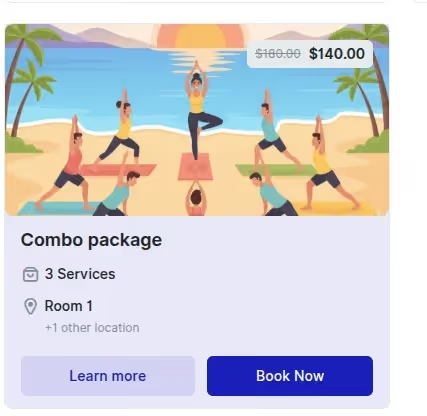
Instead of showing a duration, package cards display:
This clearly differentiates them from single appointments and highlights the value to the client.
The booking process is streamlined for package holders.
Each service in the package appears as a dropdown:
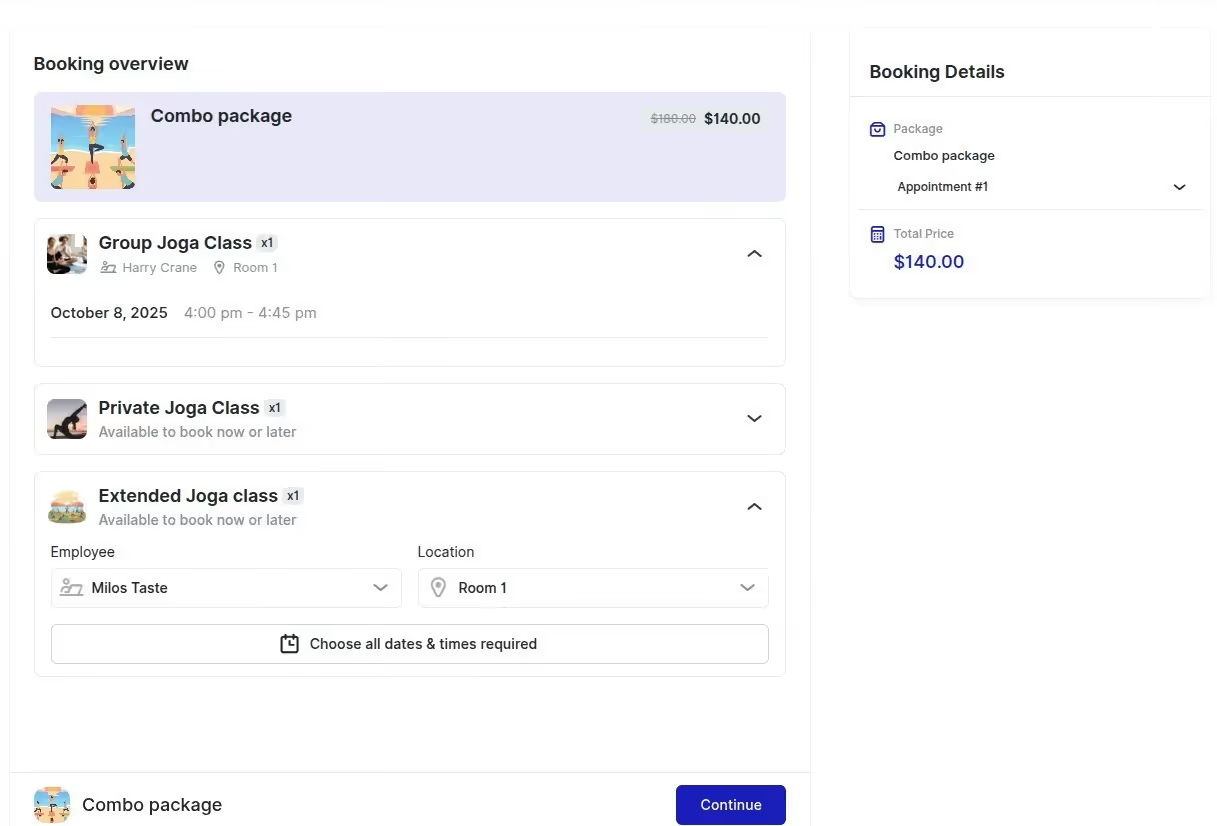
If only one option exists (e.g., one location), it’s pre-selected automatically. If the minimum required appointments are already booked, the Date & Time step can be skipped for faster checkout.
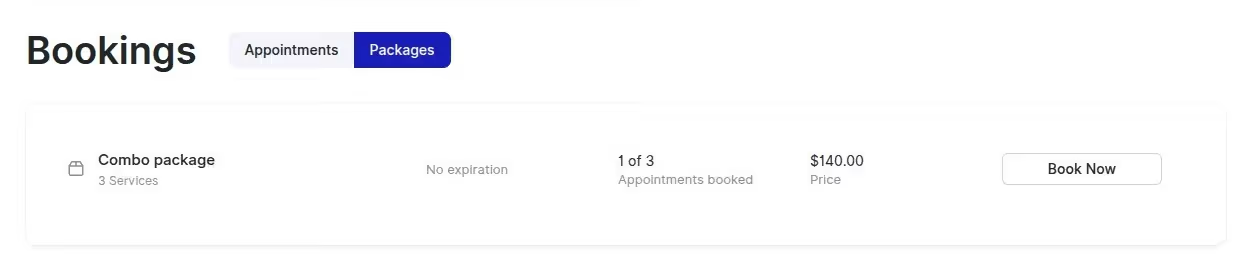
QuicklyBooked provides a dedicated area for clients to manage their credits. When clients log into their account, they’ll see a Packages tab next to Appointments, where they can view:
This keeps everything transparent and easy.
Got questions? We’ve put together clear answers to help you get started with confidence.

All plans include unlimited staff members, services, and locations. There are no per-user or per-location fees and no upgrade required as you grow. Everything is included from day one.

Yes. You can collect deposits, full payments, or partial payments for any service. You decide the amount clients pay upfront, and the rest can be charged later or at the appointment.



